 Sendr
Mass text app for iPhone, without the group chat
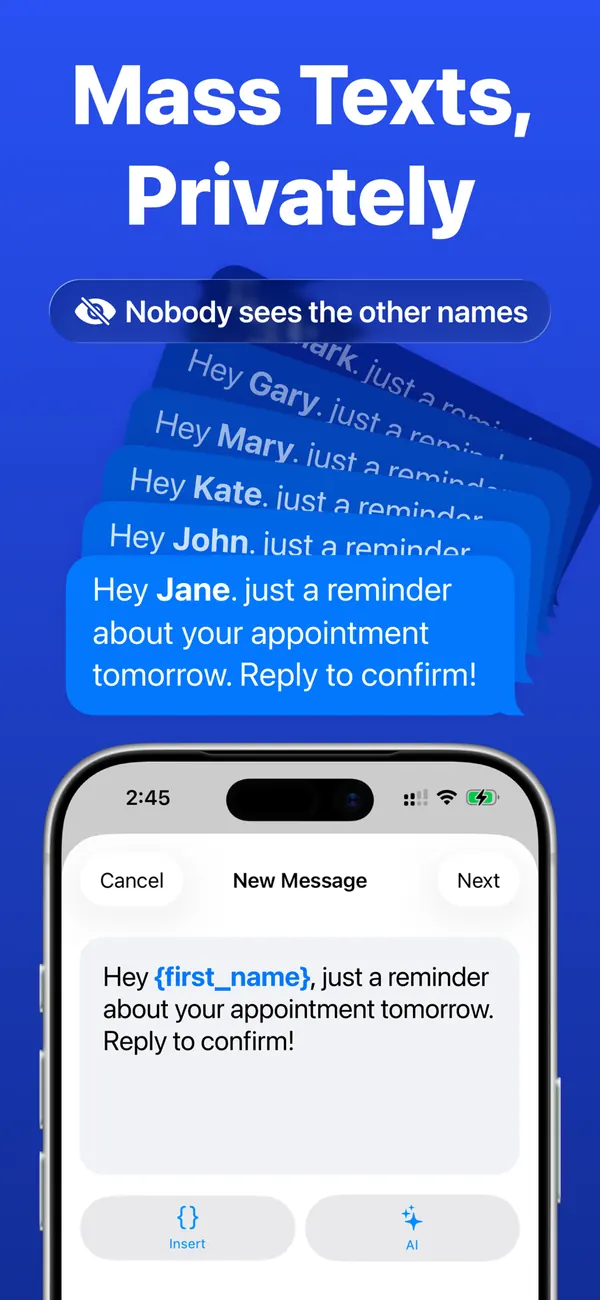
Write one text. Sendr sends it to each person as a separate message from your own number, with their name in it.
Free download for iPhone, iOS 18 or later
- To: Maria
Hi Maria, practice moved to 6pm on Saturday.
- To: James
Hi James, practice moved to 6pm on Saturday.
- To: Priya
Hi Priya, practice moved to 6pm on Saturday.
A group chat is the wrong tool for a message to 40 people
Group chat
DaveWho is everyone?
LenaThanks!
MarkPlease stop replying to all
Everyone sees everyone's number, and each reply buzzes every phone in the group.
Sendr
Hi Lena, practice moved to 6pm on Saturday.
LenaThanks!
Each person gets a text from you and nothing else. Nobody sees who else got it, and replies stay in your one-on-one thread with that person.
How it works
-
Write the text once
Add {first_name}, {company} or your own fields where the details should go.
-
Pick the people
Choose from your contacts, a saved group or a CSV file.
-
Check every message
Review & Send shows the exact text each person will get. Tap one to change it.
-
Send
Send One by One opens a message for each person and you tap Send. With Pro, Send Automatically goes through the list for you.
What's in the app
-
Personal details in every text
Use {first_name}, {last_name}, {name}, {company} and fields you create.
-
Groups you can reuse
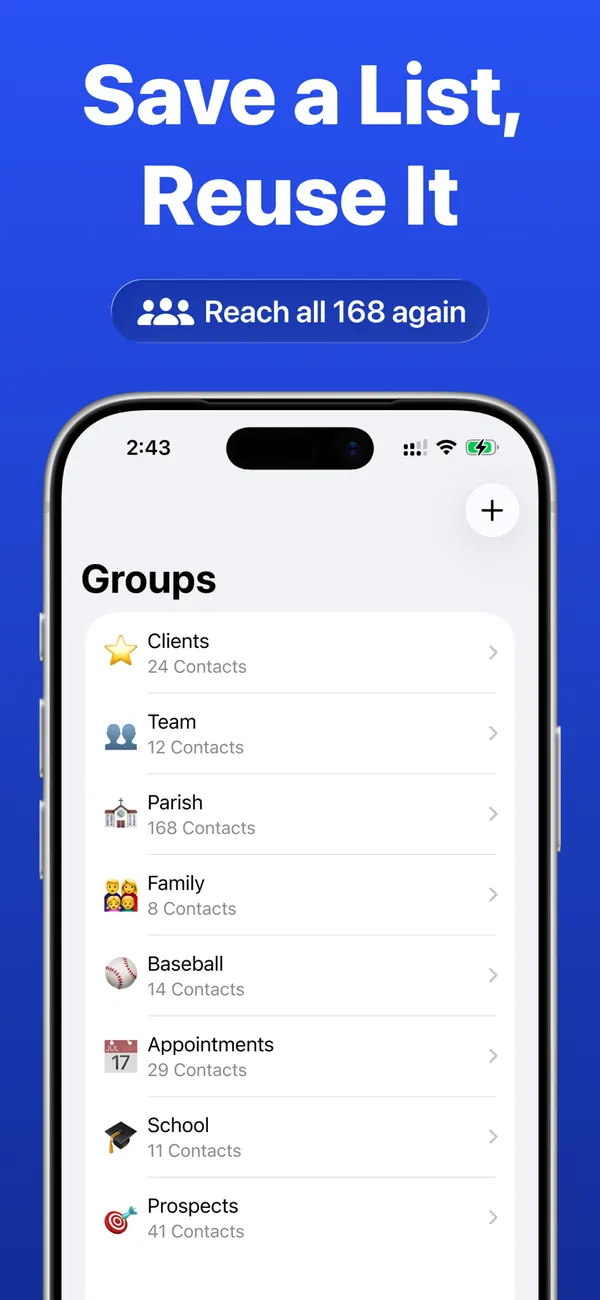
Save clients, a team or event guests once and text them again in a few taps.
-
Templates and drafts
Save the messages you send often, and keep a draft for later.
-
Photos and videos
Attach up to 3 to a message that goes by iMessage or SMS.
-
WhatsApp
Set WhatsApp as a contact's channel to send them the text there. WhatsApp gets text only.
-
A report after each send
See who is on the Sent and Not Sent lists. Send to Remaining continues with anyone left.
Good to know before your first send
- Send Automatically needs one setup: you add the Sendr shortcut to Apple's Shortcuts app.
- Keep your iPhone unlocked during Send Automatically. If it locks, sending pauses and you can continue where it stopped.
- Texts go out through the Messages app. iOS chooses iMessage or SMS, and SMS costs what your plan charges.
- Sendr is for iPhone only. There is no Android version.
- Text people who expect to hear from you. Carriers filter bulk messages, and no app can guarantee delivery.
Free and Pro
| Free | Pro | |
|---|---|---|
| Send One by One | ||
| Personal details, groups, templates and history | ||
| Send Automatically | ||
| AI rewriting with Apple Intelligence, iOS 26 or later |
Pro costs $59.99 a year with a one-week free trial, or $5.99 a week, in the US. The App Store shows the price for your country.
Questions
How do I send a mass text on iPhone without a group chat?
Use an app that sends each person a separate message. In Sendr you write one text, pick your contacts and send. Every person gets an individual message from your number, so no group chat starts.
Can people see who else got my text?
No. Each person gets a separate message, so nobody sees the other recipients.
Do the messages come from my own number?
Yes. iMessage and SMS go through the Messages app on your iPhone. Sendr has no server in the middle, and replies come back to Messages.
Is Sendr free?
The download is free, and Send One by One works without Pro. Send Automatically and AI rewriting need Pro.
Does Sendr work with WhatsApp?
Yes, for text. Set WhatsApp as a contact's channel. Photos and videos go only by iMessage or SMS.
Does Sendr upload my contacts?
No. Contacts and messages stay on your iPhone, and you don't need an account. The app sends anonymous usage and crash data, described in the privacy policy.
Guides
- How to send a mass text on iPhone without a group chat
Three ways to send one text to many people on iPhone without a group chat: Messages settings, a Shortcuts loop, or a mass text app.
Write it once. Everyone gets their own message.
Free download for iPhone, iOS 18 or later